No account, no license key, no trial that expires. Download it, install it, and run your first service tonight.
REPLACE_WITH_YOUR_INSTALLER_SHA256_HASHGraceVision Presenter is built by a small team for churches — not a company with a code-signing budget. Here's exactly how to check the file before you trust it.
After downloading, verify the file matches the SHA-256 hash listed above. In PowerShell:
Get-FileHash .\GraceVision-Presenter-Setup.exe
The app stores everything locally on your machine. It doesn't call home, doesn't track usage, and works fully offline once installed.
Upload the installer to VirusTotal before running it — it scans the file against 70+ antivirus engines for free.
virustotal.com
GraceVision Presenter asks for local file storage to save your sessions and backgrounds — nothing more, no camera, no contacts, no location.
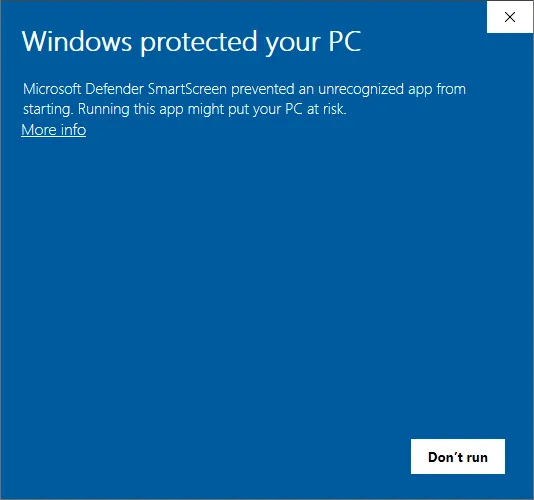
That's Microsoft SmartScreen, and it's expected — it flags any installer from a publisher that hasn't paid for an EV code-signing certificate, which most small, free church-software projects haven't. It isn't a virus warning.
To continue: click "More info", then "Run anyway." If you'd rather not, verify the checksum above first, or scan the file on VirusTotal — either way, the choice is yours.
Click the button above — the file saves straight to your Downloads folder.
Approve the SmartScreen prompt if it appears, then follow the install wizard.
No sign-up screen — pick a background, search a verse, and you're ready for Sunday.